
Public Wi-Fi: Why That Free Network at the Coffee Shop Isn't So Free
Free Wi-Fi is everywhere. So are the people waiting to see what you're doing on it.
You sit down at your favourite coffee shop, order a flat white, and connect to the free Wi-Fi before your laptop screen has even woken up. It’s automatic. It’s fast. It’s convenient.
It’s also one of the riskier things you do on a regular basis.
Public Wi-Fi is brilliant for staying connected. It’s also a playground for anyone who wants to intercept what you’re doing online. Here’s what’s actually happening when you connect, and what you can do about it.
What makes public Wi-Fi different from your home network
When you connect to Wi-Fi at home, you’re (hopefully) the only person who knows the password. Your traffic stays on your private network.
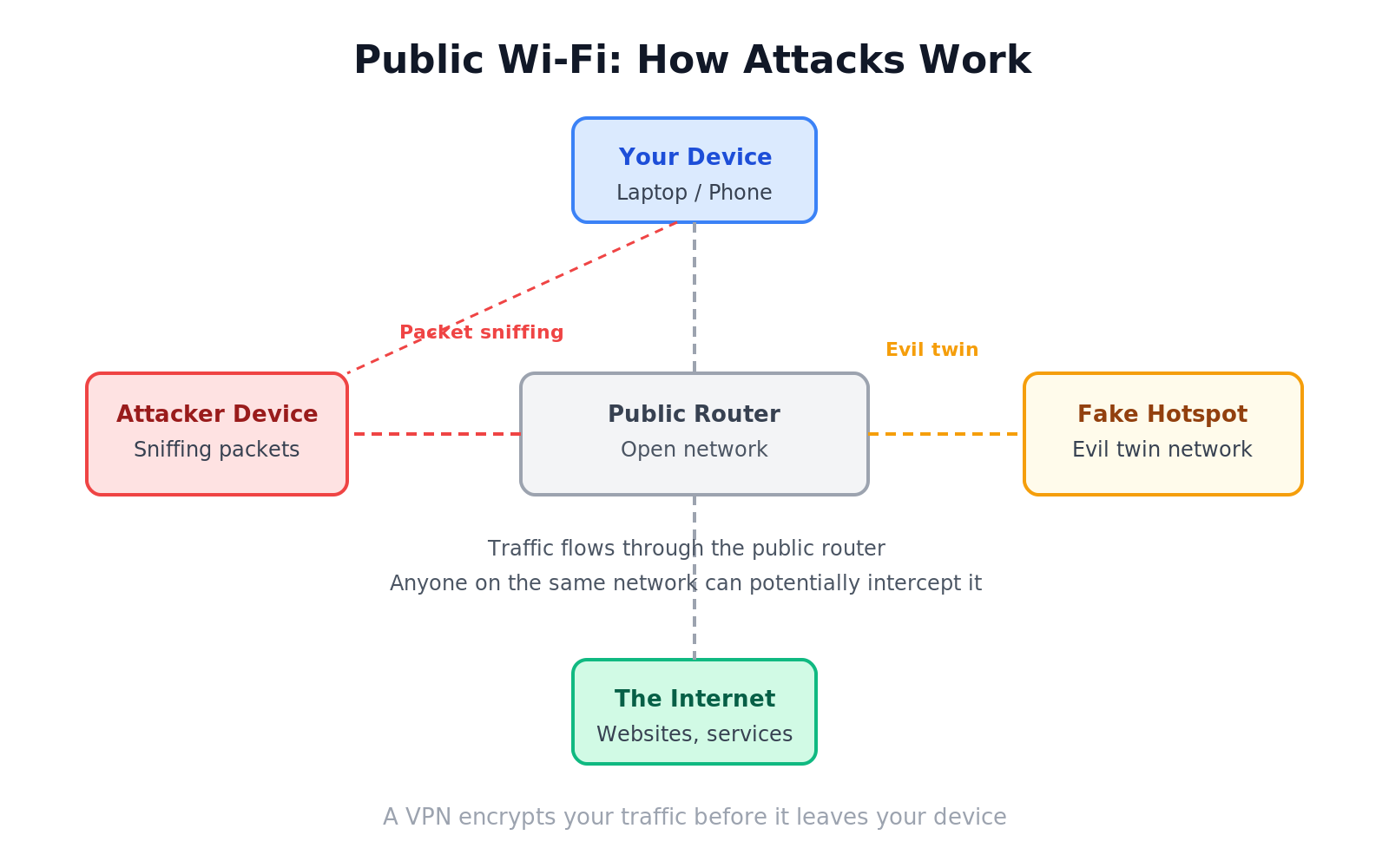
On public Wi-Fi, you’re sharing a network with everyone else in the building. The student writing their dissertation. The business traveller on a call. And potentially, someone quietly watching the traffic flowing between everyone’s devices and the internet.
That’s the core problem. It’s not that the network is slow. It’s that you don’t know who else is on it.
The main risks
The most straightforward risk on an unsecured public network is packet sniffing. Network traffic is broken into small chunks called packets. Tools that capture these packets are freely available and legal to own. On an unencrypted connection, those packets can be read like an open book. Login pages, form data, anything you send or receive that isn’t encrypted is potentially visible.
Evil twin attacks are sneakier. An attacker sets up a fake Wi-Fi hotspot with a name that looks legitimate. “CoffeeShop_Free_WiFi” or “Hotel_Guest_Network”. Your device connects automatically, and now all your traffic routes through the attacker’s machine before reaching the internet. They can see everything.
Man-in-the-middle attacks take this further. Once an attacker is positioned between you and the internet, they can not only read your traffic but also alter it. Redirecting you to a fake login page that looks identical to your bank’s real one, for example.
Session hijacking is when an attacker steals the cookie your browser uses to stay logged into a website. With that cookie, they can log in as you without ever needing your password.
Signs a network might not be what it seems
A few things worth pausing on before you connect:
Networks with no password at all are completely open. Anyone on the same network can see unencrypted traffic.
Networks with familiar names that look slightly off. “Starbucks_WiFi” and “Starbucks WiFi” and “StarbucksWiFi” could all exist at once. One of them might be an attacker.
Captive portals that ask for more than your email. Legitimate guest networks usually just need an email address for marketing. If a public network is asking for a password, your card number, or personal details, something is off.
How to stay safer on public Wi-Fi
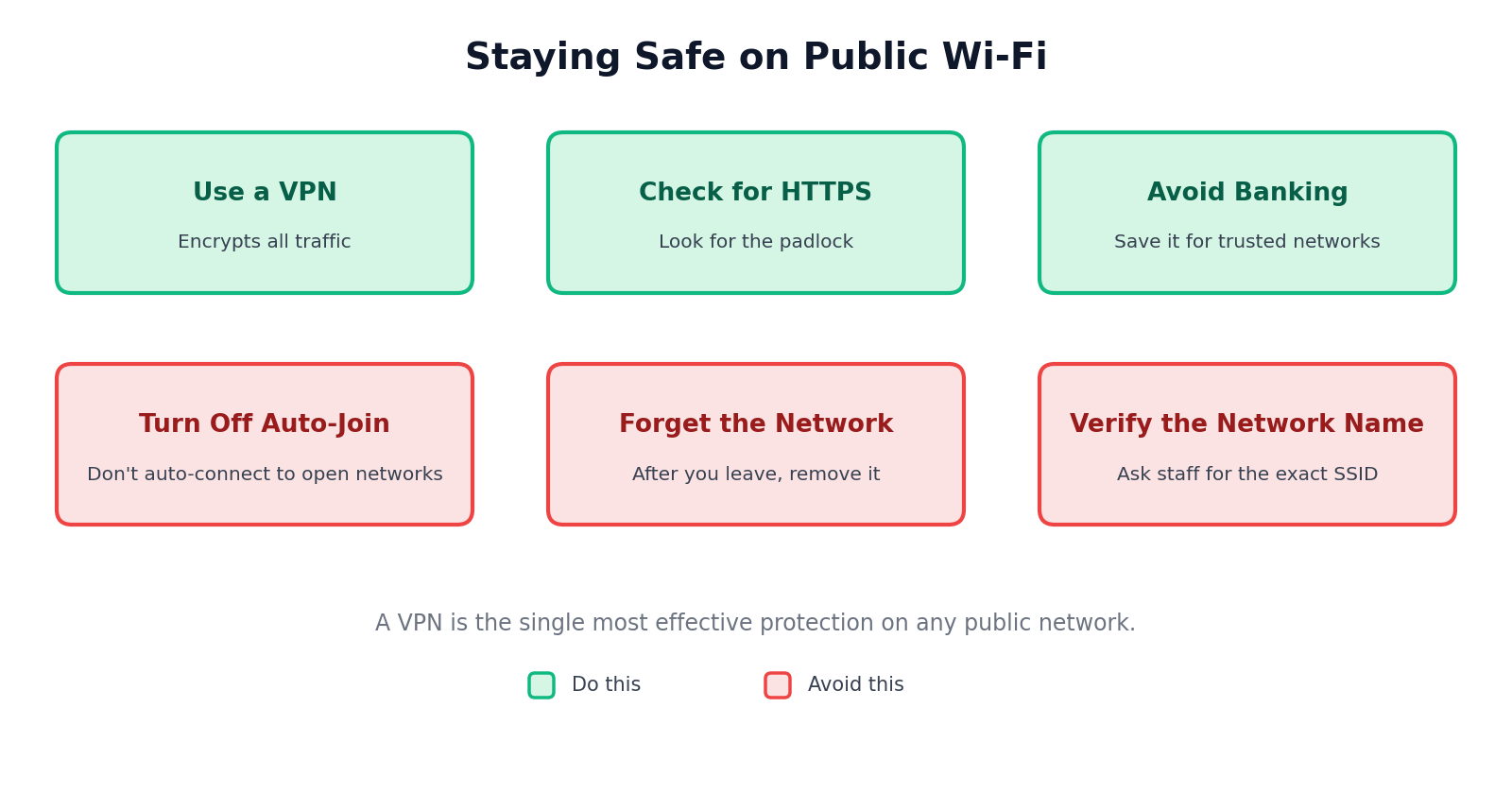
Use a VPN. A virtual private network encrypts all your traffic before it leaves your device. Even if someone intercepts your packets, they see scrambled data. This is the single most effective protection.
Look for HTTPS. Before you log into anything, check that the address bar shows https:// not just http://. HTTPS encrypts the connection between your browser and the website. The padlock icon next to the URL is a reasonable signal you have it.
Avoid logging into banking or sensitive accounts on public Wi-Fi. Save that for a network you trust.
Turn off automatic Wi-Fi connection. If your phone or laptop automatically joins any open network it recognises, you’ve given up a lot of control. Go into your settings and disable this.
Forget the network when you’re done. This stops your device from automatically reconnecting next time you’re in range.
Wrapping up
Public Wi-Fi is not inherently evil. Most of the time, most people are fine. But the risk is real, and the tools to exploit it are not exotic. A VPN, a habit of checking for HTTPS, and a little scepticism about which network you’re joining goes a long way.
Think of it like locking your car in a car park. You probably won’t be broken into. But you still lock it.
Any questions about VPNs or how to check if a connection is secure? Leave them below.
Connect with Nelson on LinkedIn
More posts, updates, and the occasional thread.
Related posts
11 Jun 2026
Social Engineering: The Hack That Doesn't Touch Your Computer
Attackers don't need to hack your computer. They just need to ask nicely.
17 Jun 2026
Firewalls Explained: The Bouncer Your Network Actually Needs
Your computer is sending and receiving data constantly. A firewall decides what gets through.