
Docker Explained: No More "It Works on My Machine"
A plain-English guide to what Docker is, how it works, and why developers swear by it.
You’ve probably heard a developer say it at least once. Everything runs perfectly on their laptop, then breaks the moment someone else tries it. Docker exists because that problem is exhausting and entirely fixable.
What is Docker?
Docker is a tool that packages an application along with everything it needs to run, then lets you ship that package anywhere. The app behaves the same way regardless of what machine it lands on.
How it works
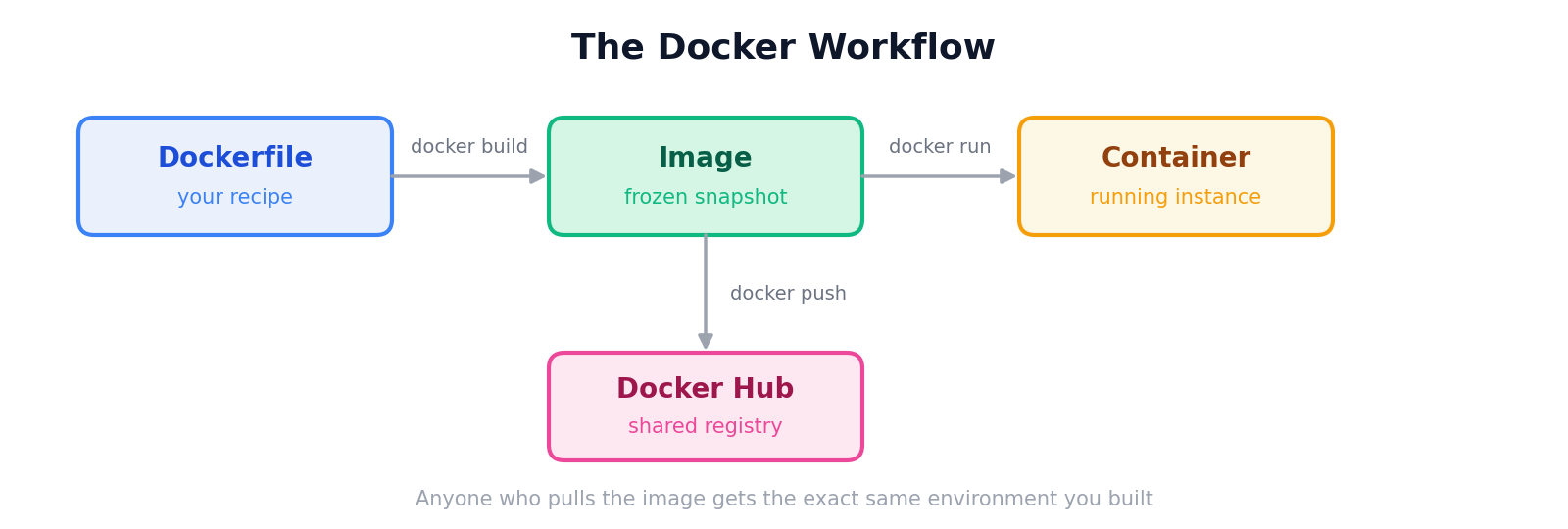
- Write a
Dockerfile. This is a short text file where you describe the setup your application needs: the base operating system, the software to install, the files to copy in. - Build an image. Docker reads the
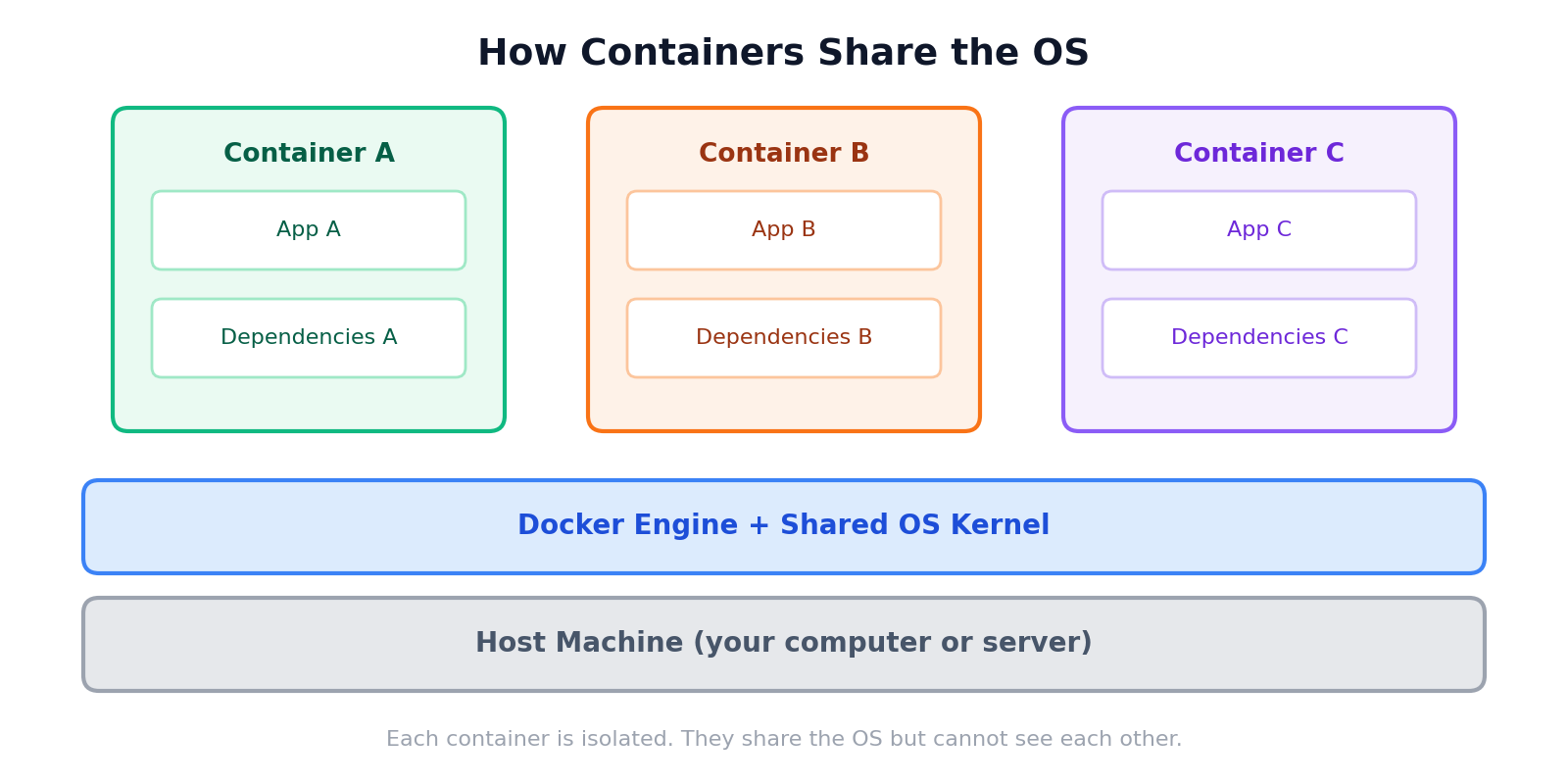
Dockerfileand produces a snapshot called an image. Think of it as a frozen, ready-to-run version of your app. - Start a container. When you run an image, Docker creates a container, which is a live instance of that image. The container has its own isolated space so it cannot interfere with anything else on the machine.
- Share it. Push your image to Docker Hub or a private registry. Anyone who pulls it gets the exact environment you built, no setup required.
Where you’ve already seen this in action
Netflix packages each of its services into Docker containers. A team can update one service without touching anything else. CI/CD pipelines build a Docker image for every code change, run the tests inside that image, and push the same image straight to production. What passed testing is exactly what runs in the real world.
Spotify runs hundreds of small backend services this way. Each one gets exactly the software it needs and nothing else.
A few terms worth knowing
An image is the blueprint. It’s read-only and shareable, like a zip file of your application’s entire environment.
A container is a running copy of that image. It’s temporary and isolated, and you can spin up as many as you like from one image.
A Dockerfile is the recipe Docker follows to build an image. Usually just 10 to 20 lines.
Docker Hub is Docker’s public library. You can pull a ready-made image for Postgres, Node, Python, Redis, and hundreds of other tools without writing a single line yourself.
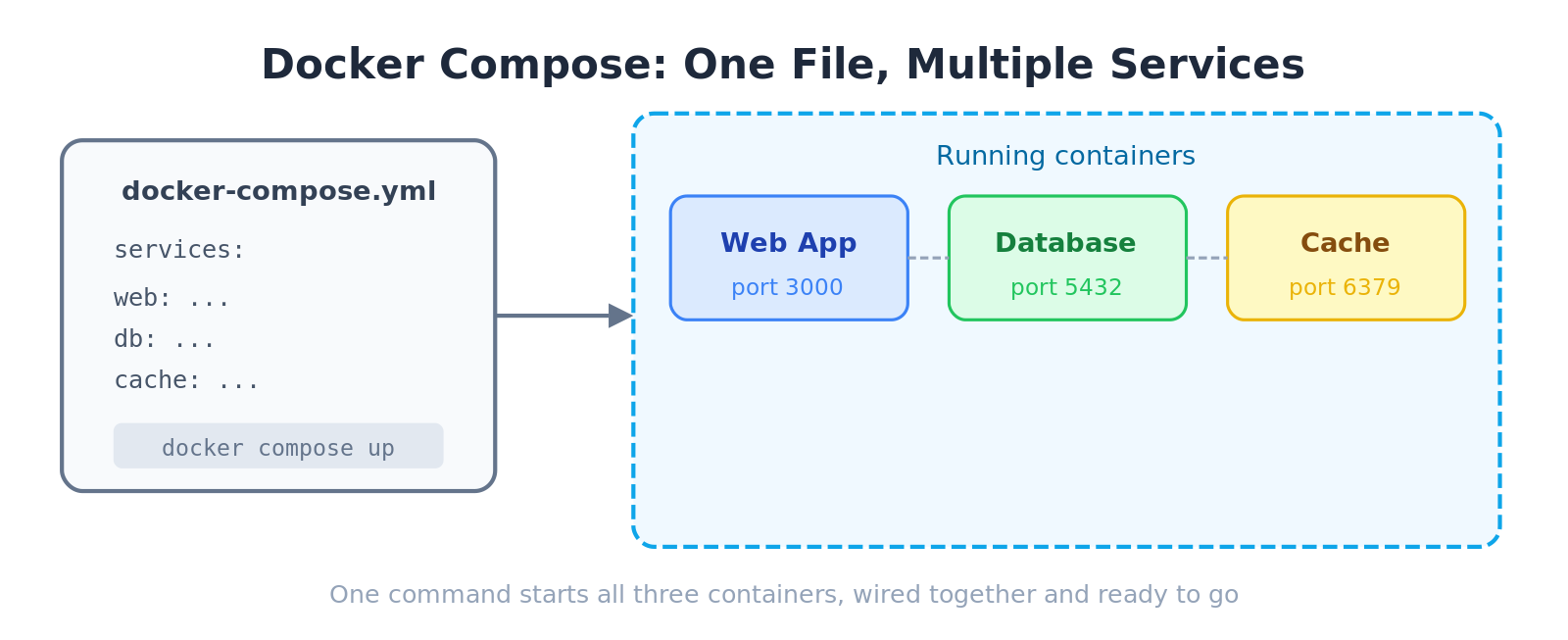
Docker Compose is a layer on top. You describe a stack of services in a docker-compose.yml file and start all of them with one command. Useful when your app needs a database, a cache, and a web server all running together.
Worth trying
Docker didn’t invent containers. It just made them easy enough that a developer with an afternoon to spare could actually use them. The official tutorial at docs.docker.com is one of the better entry points out there. Run through it once and shipping software in a reproducible way starts to feel obvious.
Connect with Nelson on LinkedIn
More posts, updates, and the occasional thread.
More posts